
LIMITER | Intelligent Limiting for Modern Music

Sale price£59.00 GBP 5.0 (89 reviews)

You’ve put hours into your mix, don’t let the limiter mess it up. LIMITER guides you to the ideal loudness, clarity, and balance with smart, tailored suggestions, so you can finish your master with confidence in less time.

0:00 0:00
30 Day Money Back Guarantee

If you don't LOVE our plugins, you don't pay. It's that simple.
Overview Video
Smart Analysis

LIMITER listens to your music and suggests the best loudness, attack, link and ceiling settings.

Clean and Loud

LIMITERS unique limiting algorithm means you can push it very loud whilst avoiding distortion and retaining punch.

30-Day Money Back Gaurantee

You don't love LIMITER, you don't pay!

Step 1 - chose a preset in limiter
01

Set Your Preset

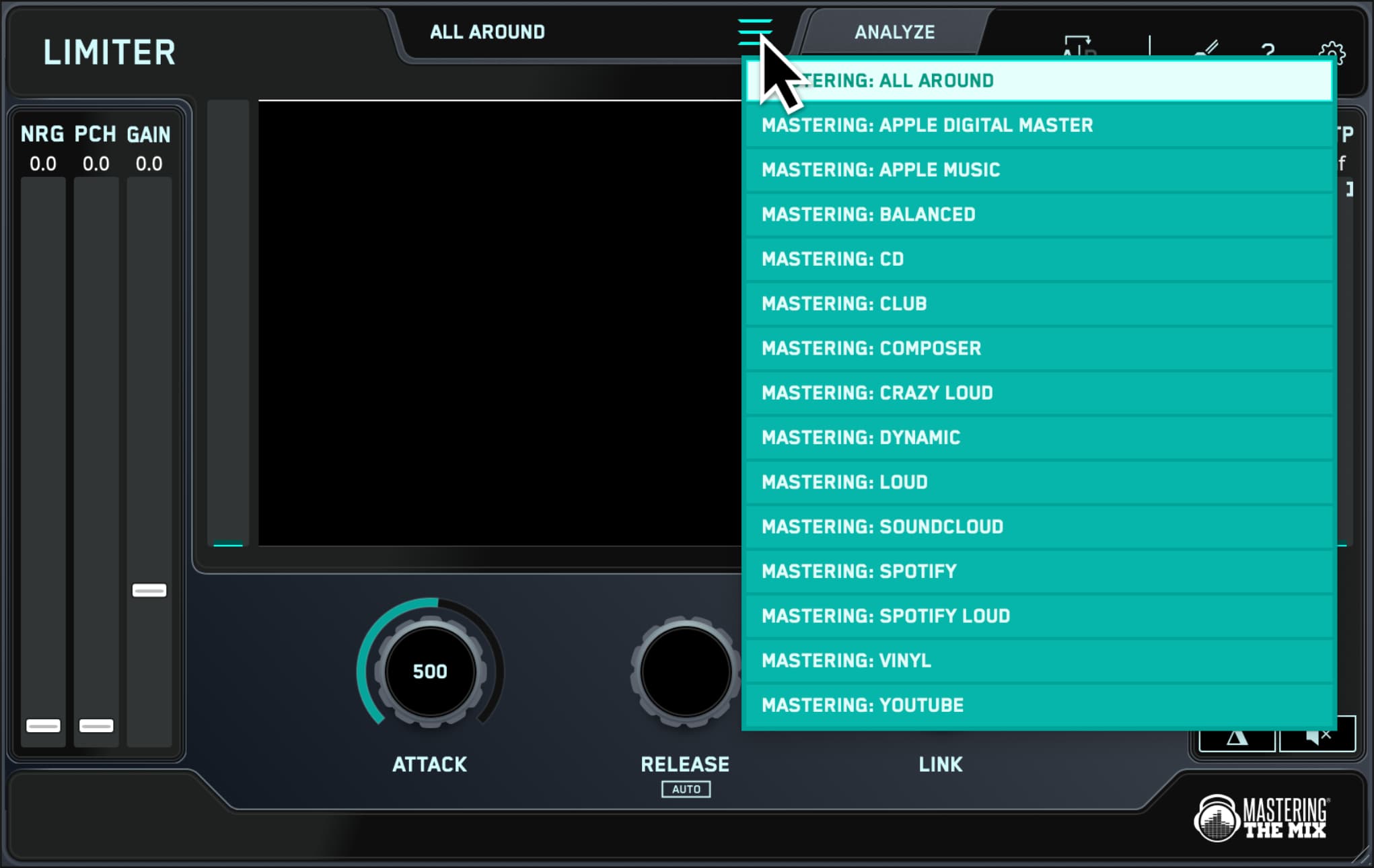
Load up an instance of LIMITER on your master channel and select your preset, such as Loud, Spotify, or Apple Music. 
Analyze your audio
02

Analyze Your Audio

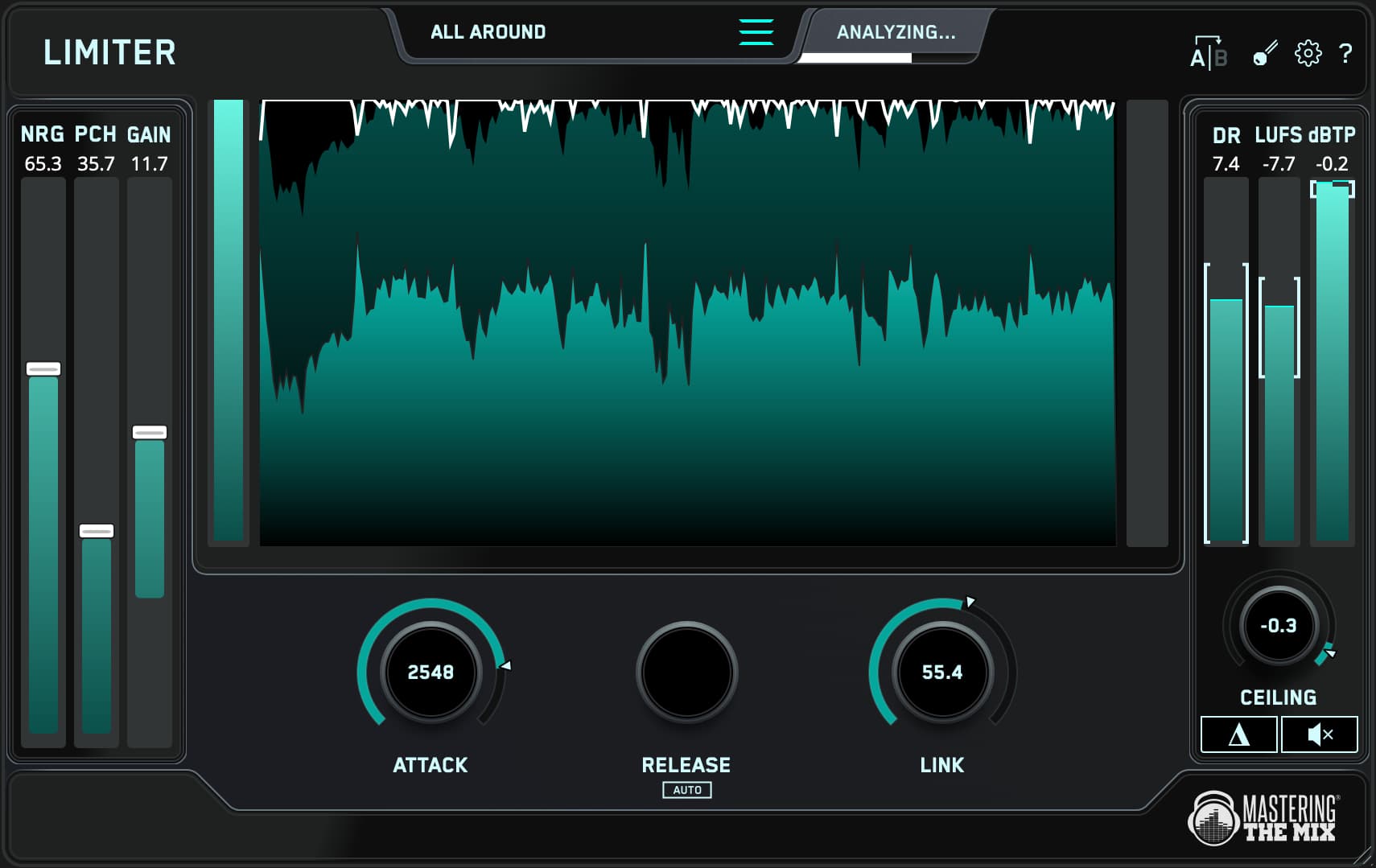
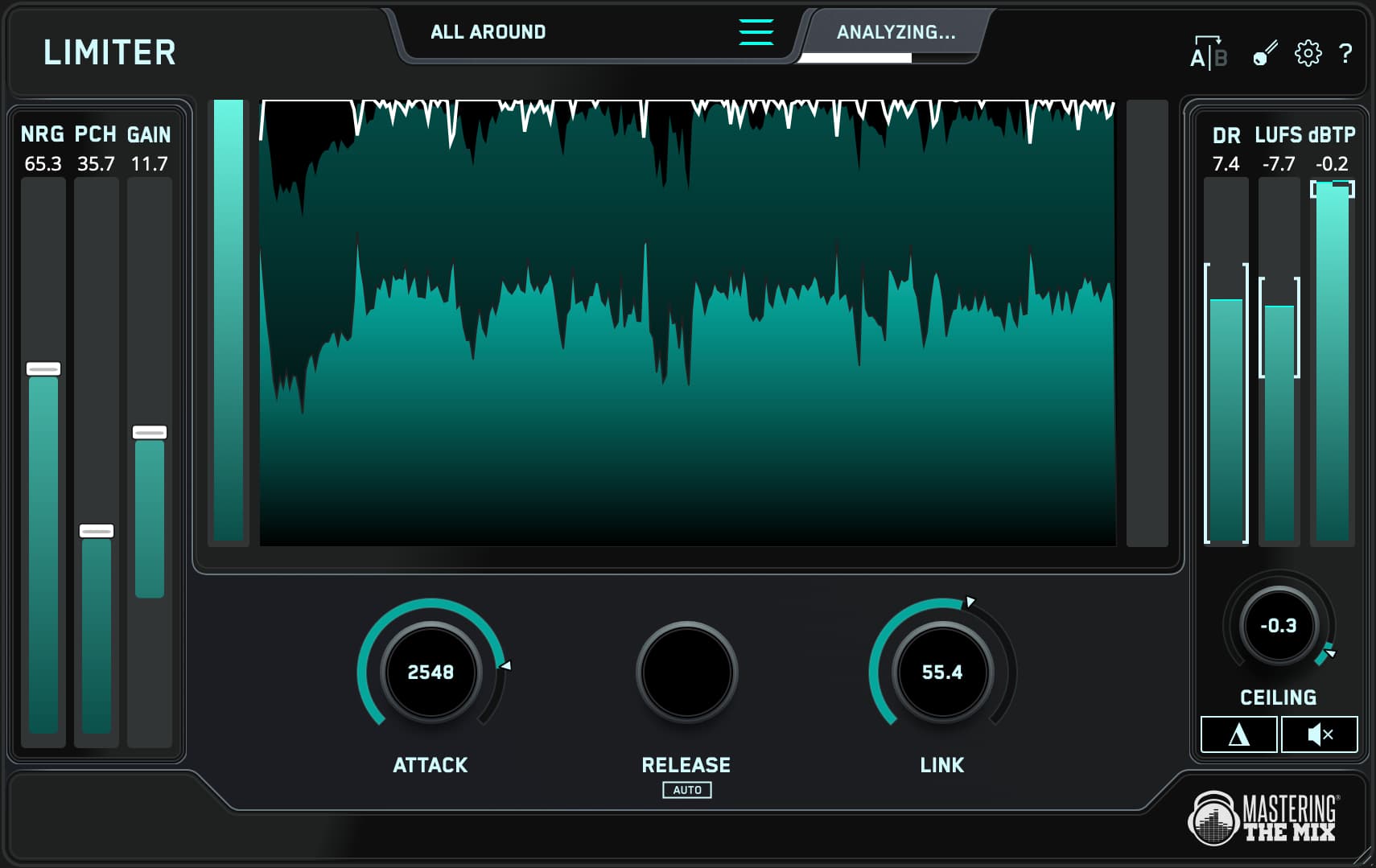
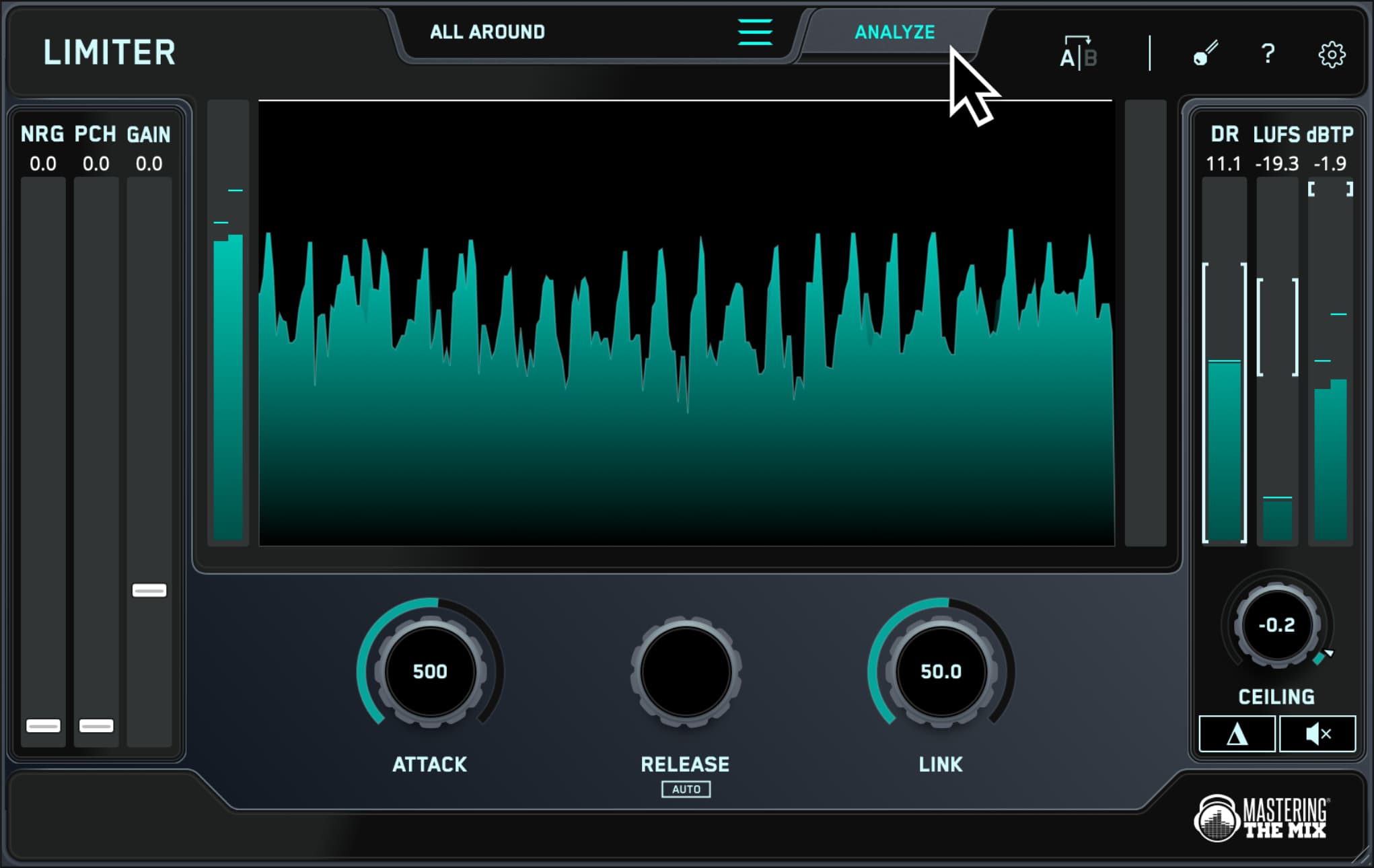
Monitor the loudest section of your track, and click analyze. 

You’ll see a target range highlighted on the input gain slider showing you what gain adjustment is suggested to achieve your sonic goal.

You’ll also see target arrows on the attack, release, link and ceiling knobs, helping you optimize those settings to suit your music.
Match the targets
03

Targets Make It Easy

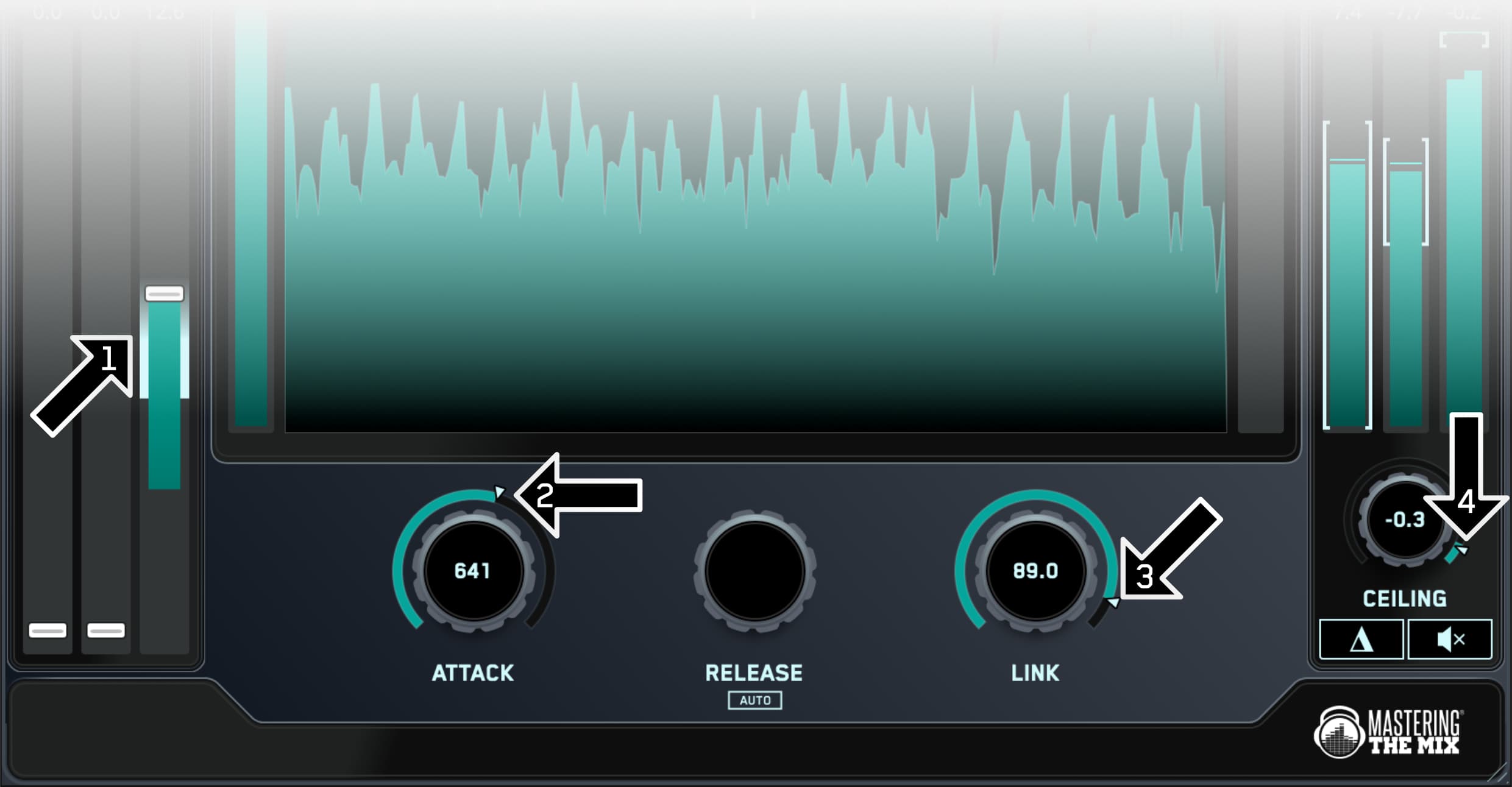
Set the gain slider¹ within the highlighted target range, then adjust the attack², link³, and ceiling⁴ knobs to match the suggestions based on LIMITERs analysis.

We recommend leaving ‘Release’ on auto for the most musical result.
04

Cleaner Than The Competition

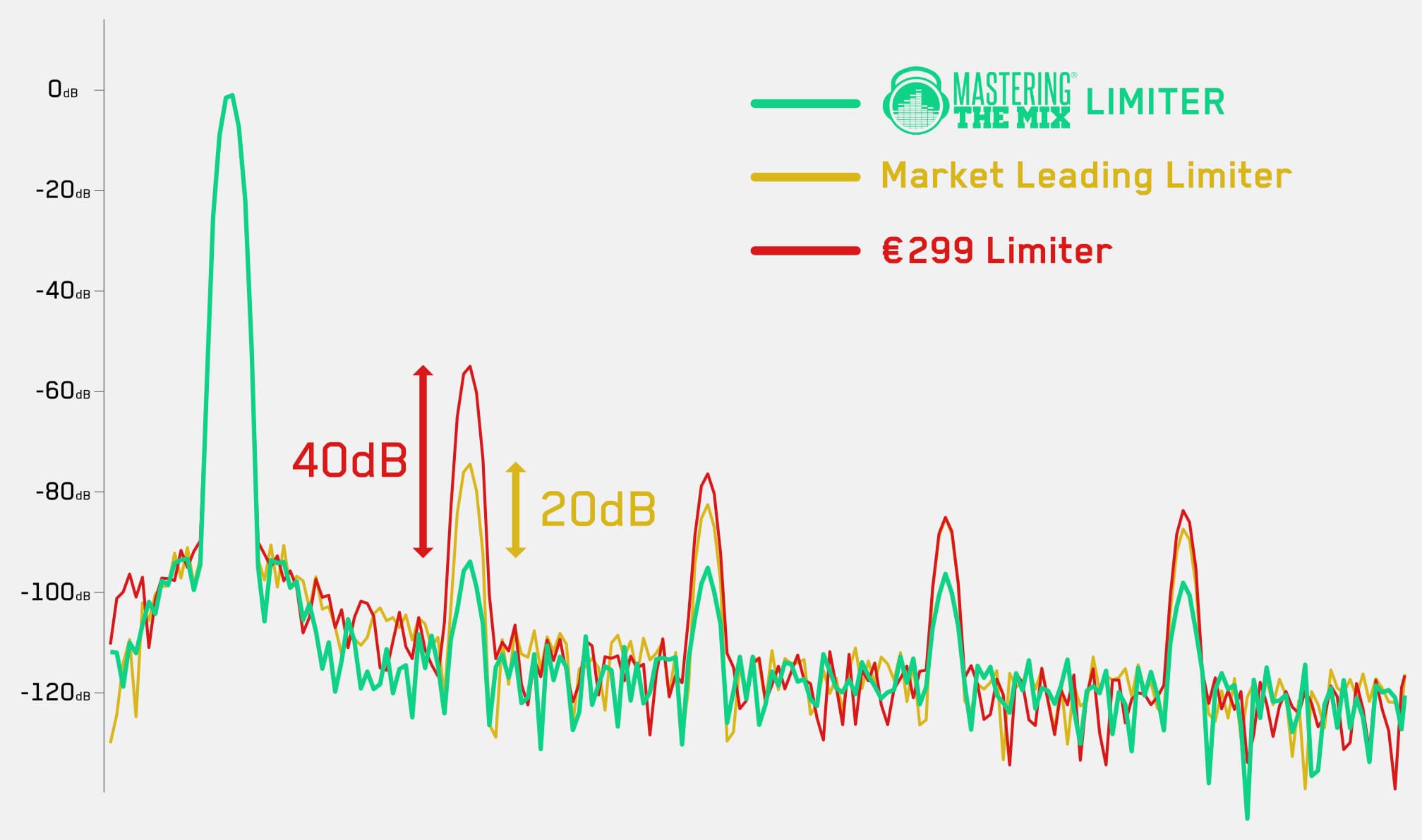
LIMITER gives your masters dramatically improved clarity in the low-end compared to other limiters.

When running a 100Hz sine wave through LIMITER, a market leading limiter, and a €299 limiter, we can see that Mastering The Mix's LIMITER produces considerably less harmonic distortion. In this test the harmonic distortion was 20dB to 40dB less, giving an audibly cleaner sound.

Click To Download Comparison Audio

01

Set Your Preset

Load up an instance of LIMITER on your master channel and select your preset, such as Loud, Spotify, or Apple Music. 

02

Analyze Your Audio

Monitor the loudest section of your track, and click analyze. 

You’ll see a target range highlighted on the input gain slider showing you what gain adjustment is suggested to achieve your sonic goal.

You’ll also see target arrows on the attack, release, link and ceiling knobs, helping you optimize those settings to suit your music.

03

Targets Make It Easy

Set the gain slider¹ within the highlighted target range, then adjust the attack², link³, and ceiling⁴ knobs to match the suggestions based on LIMITERs analysis.

We recommend leaving ‘Release’ on auto for the most musical result.

04

Cleaner Than The Competition

LIMITER gives your masters dramatically improved clarity in the low-end compared to other limiters.

When running a 100Hz sine wave through LIMITER, a market leading limiter, and a €299 limiter, we can see that Mastering The Mix's LIMITER produces considerably less harmonic distortion. In this test the harmonic distortion was 20dB to 40dB less, giving an audibly cleaner sound.

Click To Download Comparison Audio

Step 1 - chose a preset in limiterAnalyze your audioMatch the targets
  • 5 stars: 86 (97%)
  • 4 stars: 3 (3%)
  • 3 stars: 0 (0%)
  • 2 stars: 0 (0%)
  • 1 star: 0 (0%)
T
T. Olivares
The best!

The best!

B
Bob
Limiter is a great plugin

Limiter is a great plugin. It is relatively easy to use and gives great results. What more could you ask for?

R
Roberto
Convinced

After spending a more time testing it, I'm convonced and would recommend it to everybody. Thumbs up!

M
Masta Hoffman
It does everything I want

Everything in a limiter that I wanted, including algorithmic help with predicting the best settings, is in this well formatted VST

S
Steinar Larsen
LIMITER

Love it! My new favorite limiter!

G
Giovanni Petrocelli
Amazing Limiter

I love it. Fuller mixes without messing up.

M
Michael Sultan
excellent for the price.

excellent for the price. You dont have to sweak much as this plugin reads and mixs the content very well.

D
Dexter247
OK, I'll buy the bundle.

This is the third plugin from Mastering the Mix that I've been evaluating. Like Bass Room and RESO, this plugin is very quick and intuitive to use. It's very transparent and is helping me get through my work dramatically faster, which I hope will mean better long term results due to less ear fatigue. My workflow has always included mastering after the tracking and mixing; hence mastering has always been slow and painful. I'm way too familiar with the material and end up having to make multiple passes to get comfortable with the inevitable trade-offs. Between the three plugins I've compressed this timeline significantly. At this point I'm buying the bundle (and skipping any further reviews). I'm so glad to have these options available. Kudos to Mastering the Mix.

c
chusseau sebastien
Super limiter

Top

B
Billy Mack
LIMITER/ SMART MASTERING PLUGIN

GREAT PLUGIN EASY TO USE MY MIXES SOUND AWESOME! JUST PUT IT ON YOUR LAST PLUGIN SLOT OF YOUR MASTER BUSS AND YOUR GOOD TO GO! Thanks Billy Mack

V
Vern Vennard
Truly of the most useful plugins I've ever gotten.

The "analyze" function is worth the price alone not to mention the simple and easy to use metering and "musicality" of the limiting / compression. A+ tool!

L
Lee H
Awesome!

Another game changing product from Mastering the Mix. Again, love it!

y
yvan sanchis
Wonderfull

I couldn't believe but it's there.
And so easy to use...
Very happy! I am 😊

R
Ralf Beck
Very good quality!

Maybe I'm making a mistake... I have a mix in 96 kHz, which I master in 192 kHz 64 bit-float (with ‘third-party software’) and then downmix in 192 kHz 64 bit-float with Studio One 6 as a wave. I then master the same mix in 96 kHz (with the same ‘third-party software’) with a final LIMITER and then downmix it in 44.1 kHz 16 bit, again with Studio One 6 - and it makes absolutely no difference in terms of sound! But shouldn't it be clearly audible at 192 kHz because of the much higher resolution?
That saves me a lot of work!

W
Wojtek Cholascinski
Transparent and loud? Here's Limiter!

Simple name, simple operation, magical results! Now it's always a last plugin in my mastering rig. Both in my music creations (house, trance) and my game trailer work!

H
Hernández Hernández Rodríguez
10

Mil gracias buen trabajo

M
Michal Barhon
Excelent!

Finally limiter that is super transparent and gives me possibility to target desired loudness for different platforms within seconds. Love it :)

J
John Gualy
Great Limiter

Way better than stock limiter, but still not perfect. Super easy to use but hard for me to get master past -8 LUFS. Makes kicks sound crunchy sometimes and really weird.. Need to find a balance.. But insanely helpful nonetheless.

G
George Moore
Love the plug in

Mastering the mix has come up with some of the best plugins on the market. The Limiter plug in is an excellent tool that has helped me speed up projects for the demanding artist, producers and labels.

A
Andreas Eden Ekendahl Andersson
It’s nice!

The NRG seems to be a pretty decent saturation and the PCH gives more punch. I really like the PCH so far. I bought this one and the mixing plugin and the bass plugin as a bundle and this one I would say is my favourite of those three because it’s just plug and play, you don’t have to try to figure anything out, you can start using it immediately.

V
Victor Penro
Options

The final step in the process was less of a stutter with Limiter. I Knew how I wanted it to sound and I got the results I had in mind. Simple and smooth sums up the process.

P
Paul Clemson
UNIQUE PLUGIN

VERY INTUITIVE GETS THE JOB DONE EASY

O
Oscar Fisher
Genius

The man making these plugins isn't human , he must have some sort of mystical power

C
Cristian Bacargiu
LIMITER

VERY USEFUL, VERY GOOD!

S
Stefan Wisard
Epic

First Plugin in my Arsenal! User frindly and The Soundmastering ist Perfekt and very Easy to Finish!

h
home musician
An Absolute Timesaver

This has quickly become the go-to limiter in my current workflow. Being able to quickly dial in compatible attack settings and target loudness ranges has been a huge timesaver in getting sessions completed. Paired with the other MTM tools and Tom's suggested workflow, it's has been an amazing addition to my toolkit.

V
Victor Go
Nice tool for mastering

Used it for mastering of my new song. Sounds great. Punchy, loud and clear.

J
JHONATAN DAVID CURI
UNA JOYA

ME ENCANTA DEMASIADO ESTE COMPLENTO CONFIE EN MUCHOS LIMITADORES PERO ESTO VEO QUE ES MAS FLEXIBLE Y MUY FACIL QUE OTRAS MARCAS - SALUDOS DESDE PERU

M
Mr Adam D wain
Excellent quality!

Gets loud and present quickly! The NRG and PCH settings are a nice touch to add a little sauce to the overall sound.

L
Laure Lussier
The LIMITER

I've used the LIMITER on all my albums and will continue using it for the next ones, because it's reliable, it's accurate and it's versatile. Along with the other plugins from Mastering the Mix, the LIMITER fits perfectly in the mix.

M
Michal Zachar
Time Saver Limiter

This limiter is best of all limiters.

J
Justin G
Ridiculously good

And I can confirm that it sounds crazy good!

I mastered a track really loud and it‘s still sounding clear and punchy! I am very excited about it… never thought your plugins were THAT good before getting this… wow!

L
Luca
Essential, don't miss it

In my personal list it is number one

Presets

Get the perfect results, whether you're shooting for a super-loud master or optimizing for streaming platforms.

Smart Analysis

Bad limiter settings can un-do hours of hard mixing work. If you push a limiter too hard without optimizing the settings, you’ll squash the transients of your audio and suck the life out of the performance. If you master your music too quietly, it will lack energy and clarity when compared to louder songs. 

It can also be difficult to know how to tweak the various controls, such as gain, attack, release, link, and ceiling to work best with your audio. Understanding and setting these controls correctly is crucial to creating a pro-sounding master that translates well everywhere. 

LIMITER analyzes your music and gives you targets to help you dial in the best settings and an excellent sound when mastering. LIMITER’s targets help you get a great starting point, from there you can tweak the settings to suit your music and preferences. 

Gain Flavours

In addition to the clean gain slider, the NRG slider boosts your music with rich harmonic distortion to thicken your sound and give you more perceived loudness.

The PCH slider enhances the transients of your audio, giving you complete control over the punch of your music.  

Smart Targets

LIMITER’s targets help you optimize the loudness and controls to maximize transparency, minimize distortion, and get the perfect loudness. LIMITER helps you master your music in a smart and musical way whether you’re shooting for a super-loud and punchy master, or optimizing your audio for streaming. 

Intuitive Metering

All of the meters have target lines on the sides that relate to your selected preset. Try to keep the loudest section of your song within the target range. This will ensure your track is neither too loud or too quiet for your selected preset. If you breach the targets, the meters will turn red to warn you that an issue has arisen.

They have done it again!!! Limiter is simple yet very innovative compared to other limiters. Super easy to use, very musically balanced and you got to love NRG/PCH add-ons. Just Brilliant!
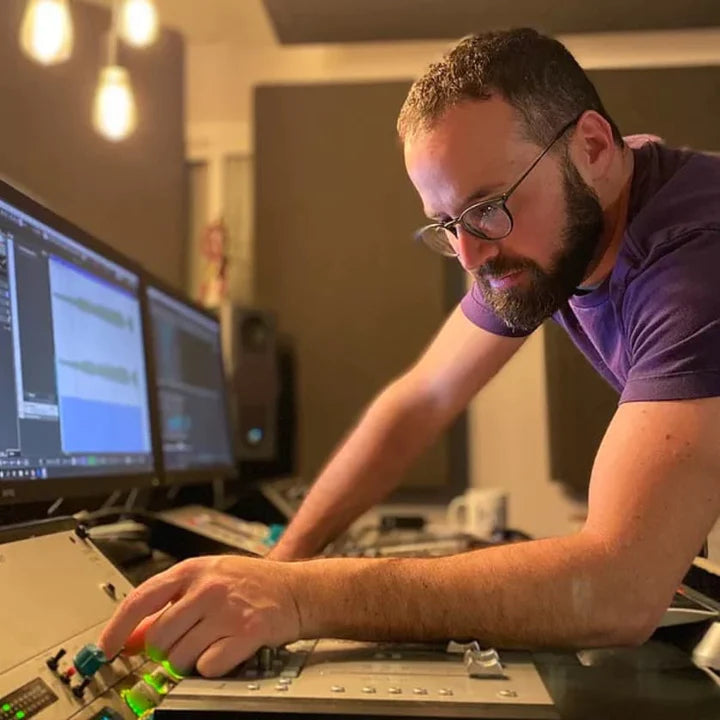
Jordan Shultz (Ed Sheeran, Kygo, One Republic)

Really dig LIMITER. The delta function really lets you dial in the right punch and reveals when you're hitting it too far.
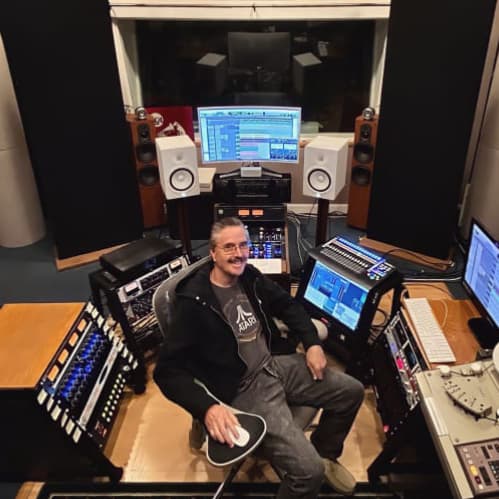
Tony Goldtone - MasterWorksBMG, 20th Century Fox / FX, Columbia, Disney, Dreamworks, Lionsgate, Lucasfilm & Lucas Arts, Miramax, Netflix, Republic Records, Universal Music Group.

This plugin does exactly what it says. Quality results, affordable price, very easy to work with. Highly recommended! It’s also a great companion for the rest of the Mastering The Mix plugins.

Plugin Deals

Watch The Walkthrough Video

Mac System Requirements

OS X 10.15 or higher. 64-bit AU, VST 3 or AAX host.
Apple Silicon Native.

Download Mac Installer

Windows System Requirements

Windows 10 or higher. 64-bit VST 3 or 64-bit AAX host.

Download Windows Installer

Mac System Requirements

OS X 10.15 or higher. 64-bit AU, VST 3 or AAX host.
Apple Silicon Native.

Download Mac Installer

Windows System Requirements

Windows 10 or higher. 64-bit VST 3 or 64-bit AAX host.

Download Windows Installer